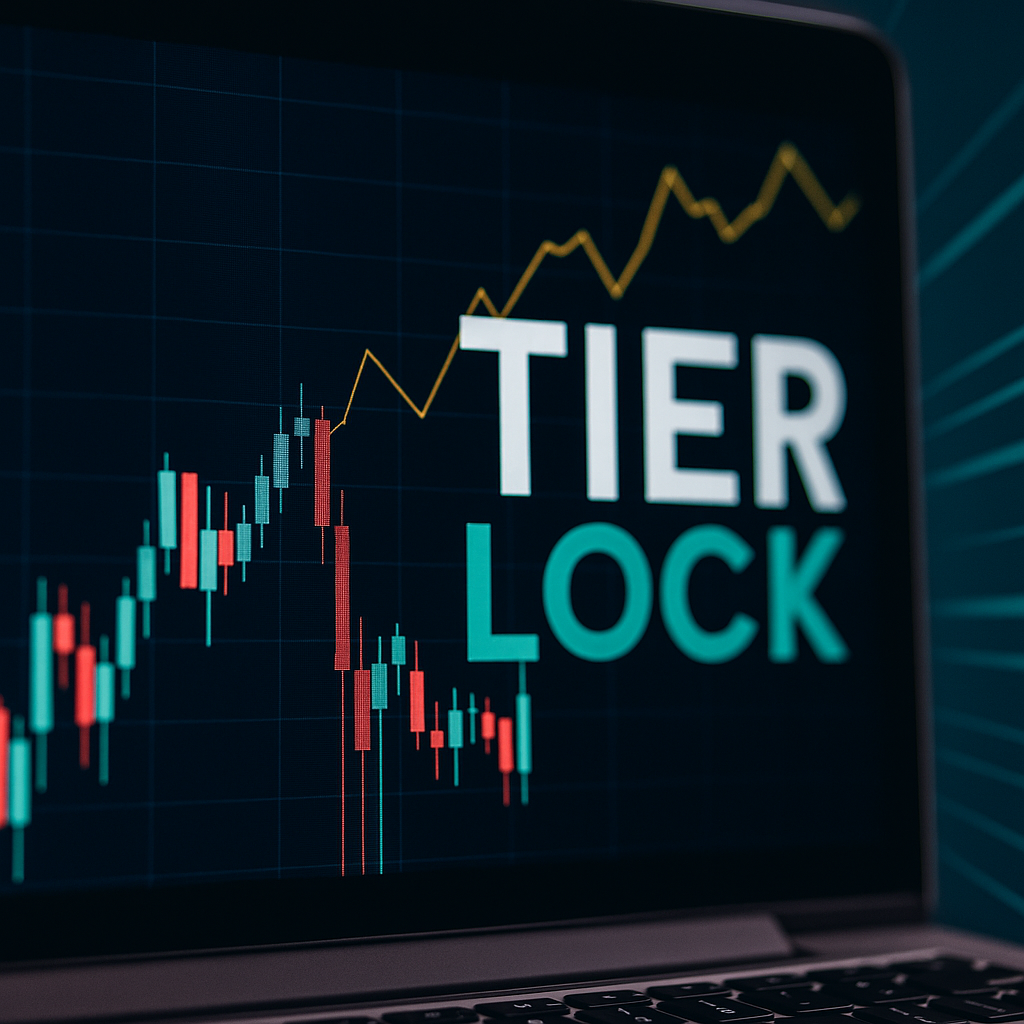


The Real Problem: Green Days Turning Red
Many futures traders experience the same pattern: a strong start to the session, followed by a slow erosion of profits. What begins as a green day ends flat — or worse, red.

This is not a strategy flaw. It is a profit protection flaw.
Without structured profit locking, realized gains remain exposed to emotional re-entry, increased position sizing, and volatility spikes.
NinjaTrader allows trade-level stops. It does not automatically convert realized profits into protected capital at the account level.
Example: Profit Locking vs Full Giveback
Below is a comparison of two trading sessions — one without giveback control and one with automated risk automation.
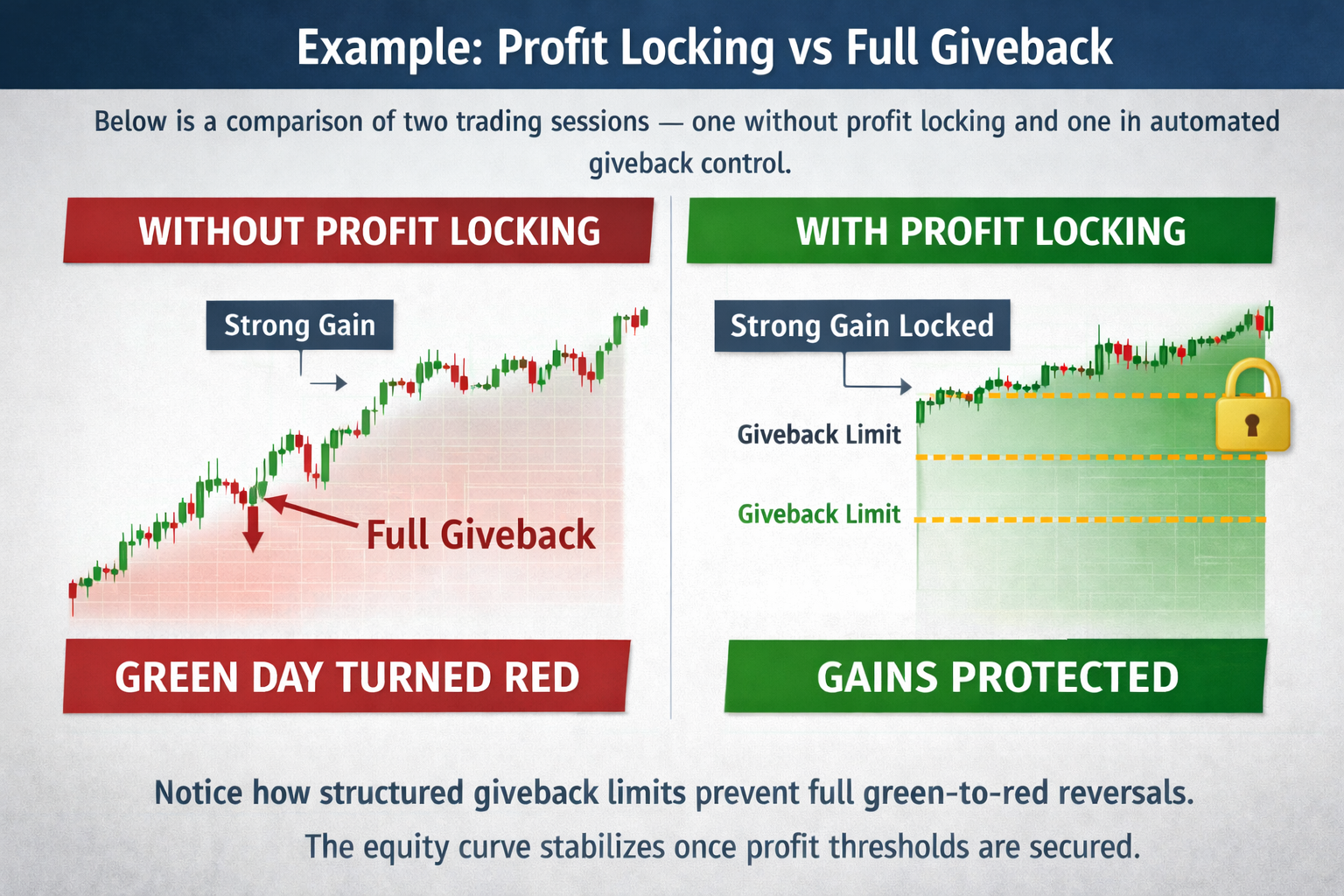
Notice how structured giveback limits prevent full green-to-red reversals. The equity curve stabilizes once profit thresholds are secured.
Why Traders Give Back Profits
- Confidence increases after early wins
- Position size grows mid-session
- “One more trade” mentality
- Volatility spike reversals
- Lack of account-level profit enforcement
Behavior shifts after a win. Without automation, discipline relies on memory. Memory fails under emotional pressure.
Three Layers of Profit Protection
1. Activation Threshold
Profit locking begins only after a predefined profit target is reached. This avoids premature restriction.
2. Giveback Percentage
Once activated, a percentage of profits becomes protected. Only a limited giveback percentage is allowed.
3. Session Shutdown
If giveback exceeds defined limits, positions are flattened through auto-flatten logic and trading halts using session lockout.
Where TierLock Fits
AutoClose Pro Guardian (ACPG) implements structured profit locking directly inside NinjaTrader 8.
It monitors real-time realized PnL and unrealized PnL, activates profit protection thresholds, and enforces mechanical giveback ceilings.
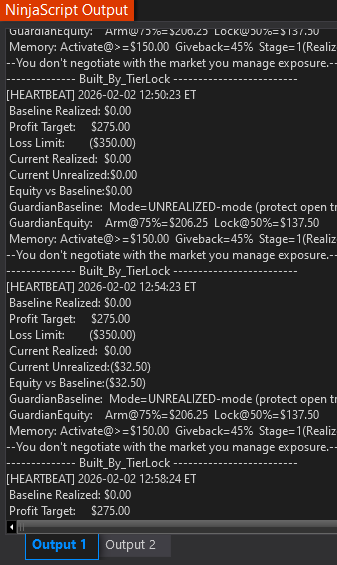
Once profit thresholds are hit, a portion of gains becomes protected capital. If giveback exceeds limits, the session shuts down automatically through risk enforcement.
For full structural breakdown, read: Account-Level Risk Management in NinjaTrader 8 .
Using TradingView with NinjaTrader 8 for Structured Profit Locking
Many traders use TradingView for higher-timeframe analysis and execute trades inside NinjaTrader 8. While TradingView helps with structure and bias, how to lock profits in NinjaTrader 8 requires account-level automation inside the execution platform itself.
NinjaTrader 8 allows trade-level stops and targets, but it does not natively convert realized gains into protected capital. If you want to know how to prevent profit giveback, you must apply structured mechanical enforcement through account-level risk management.
This is especially critical for traders operating under prop firm rules, where violating a NinjaTrader daily loss limit or exceeding account drawdown protection thresholds can reset evaluations.
True NinjaTrader 8 automated risk management requires profit thresholds, giveback ceilings, and session shutdown logic that reinforce long-term futures trading discipline. Analysis can occur on TradingView — but enforcement must occur at the NinjaTrader account level.
NinjaTrader 8 Daily Loss Limit vs Profit Locking
Many traders confuse a NinjaTrader daily loss limit with true profit protection. They serve different purposes.
Daily Loss Limit
- Caps maximum loss for the session
- Prevents catastrophic downside
- Focused on loss containment
- Often required under prop firm rules
- Stops trading after defined drawdown
Profit Locking
- Protects realized gains after profits are achieved
- Prevents green-to-red reversals
- Focused on capital preservation and stability
- Supports long-term futures trading discipline
- Applies structured mechanical enforcement to prevent giveback
Live Demonstrations
Below are real demonstrations of automated profit locking, giveback control, and structured risk enforcement inside NinjaTrader 8.
AutoClose Pro Guardian (ACPG) Demo
AutoClose Pro (ACP) Demo
AutoClose Pro (ACP) Demo 2
Who This Is For
- Futures traders protecting green days
- Prop firm traders preventing evaluation resets
- Intermediate traders stabilizing equity curves
- Professionals enforcing structured capital preservation
Choose Your Profit Protection Level
TierLock provides two levels of automated profit locking and risk enforcement inside NinjaTrader 8.
AutoClose Pro (ACP)
Simple daily loss limit and profit target enforcement for traders who want structured control without adaptive logic.
Learn About ACPAutoClose Pro Guardian (ACPG)
Advanced adaptive supervision with equity-based protection, multi-stage giveback control, and behavioral lock mode.
Explore ACPGContinue Learning
- Account-Level Risk Management in NinjaTrader 8
- NinjaTrader 8 Daily Loss Limit Guide
- How to Stop Overtrading in NinjaTrader 8
- How to Lock Profits Automatically in NinjaTrader 8
- Manual vs Automated Risk Enforcement
- TradingView + NinjaTrader Workflow
- AutoClose Pro (ACP)
- AutoClose Pro Guardian (ACPG)
- Knowledge Base
- Glossary
Turn Green Days Into Locked Capital
Stop relying on memory and emotion. Enforce structured profit locking, define giveback limits, and protect your equity curve automatically.
Activate Free Trial