

What Is a Daily Loss Limit in NinjaTrader 8?
A daily loss limit is the maximum amount of capital you are willing to lose in a single trading session. Once reached, trading should stop through structured risk enforcement.
Most futures traders fail not because of poor entries, but because they continue trading after exceeding their predefined Max Daily Loss. This often compounds drawdown and damages long-term psychological capital.
NinjaTrader 8 allows stop-loss placement per trade, but it does not enforce account-level daily shutdown . This is where structured mechanical enforcement becomes critical.
Example: Daily Loss Enforcement vs No Enforcement
Below is a comparison of two equity curves — one without daily loss limits and one with strict enforcement.
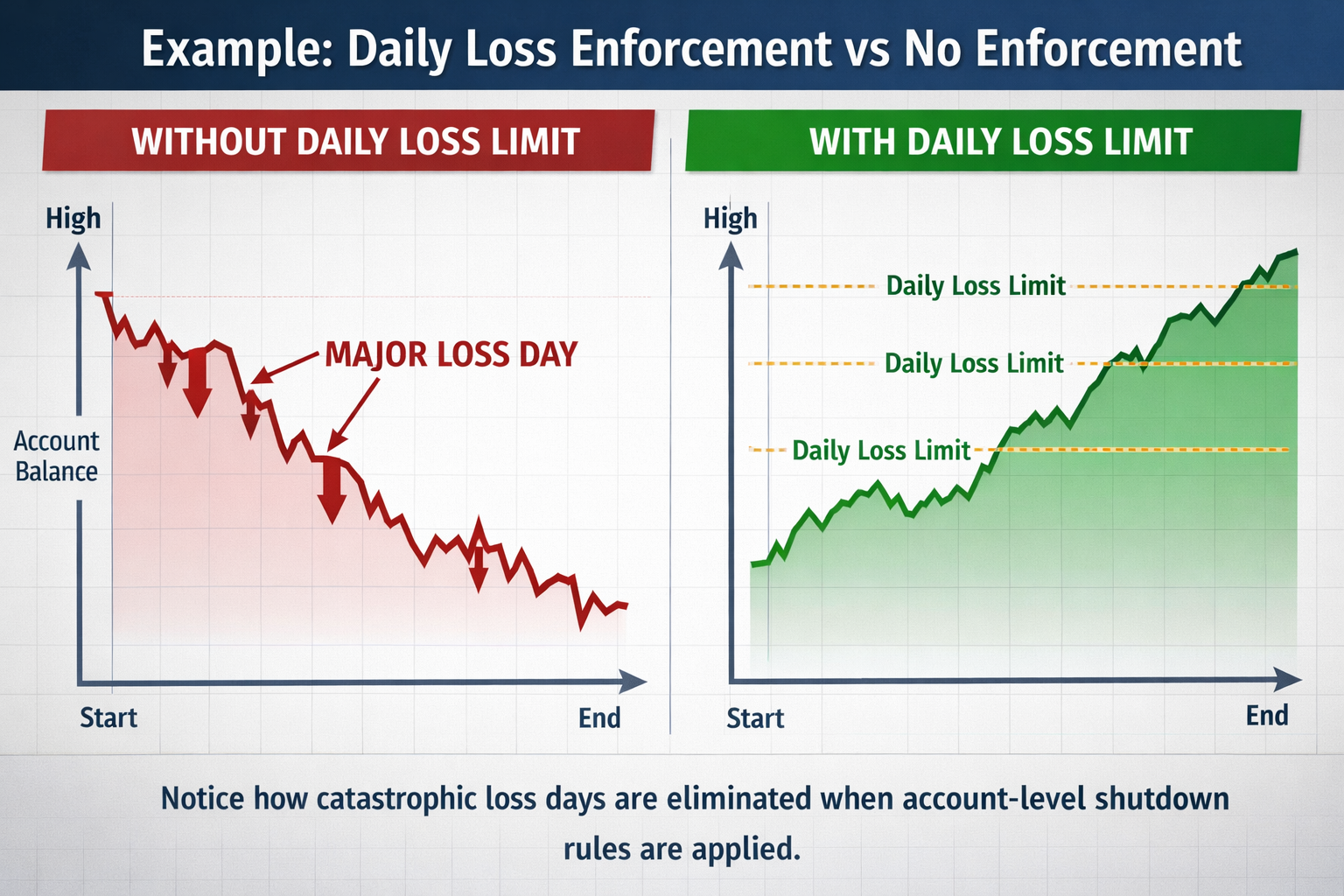
Notice how catastrophic loss days are eliminated when structured account-level risk management and session lockout rules are applied.
How to Set a Daily Loss Limit Properly
1. Base It on Account Size
Daily loss limits should be proportional to total account equity and aligned with acceptable risk per trade.
2. Align With Prop Firm Rules
Many prop firms enforce strict daily drawdown rules . Automating this prevents evaluation failure and protects account drawdown protection.
3. Use Mechanical Enforcement
Manual discipline fails under stress. Mechanical shutdown removes emotional override and prevents overtrading.
Manual Daily Loss Limit vs Automated Enforcement
Many traders attempt to enforce daily loss limits manually. Automation produces dramatically different long-term outcomes.
Manual Discipline
- Requires emotional self-control
- Often violates Max Daily Loss under stress
- Allows re-entry after loss
- Inconsistent account-level shutdown
- Higher probability of catastrophic drawdown
Automated Enforcement
- Automatic daily loss shutdown
- Prevents trade re-entry after max loss
- Monitors real-time account PnL
- Triggers session lockout instantly
- Stabilizes long-term equity curve
NinjaTrader 8 + TradingView Workflow for Daily Loss Control
Many futures traders analyze structure on TradingView and execute trades inside NinjaTrader 8. While TradingView improves higher-timeframe bias and structure, daily loss enforcement must occur inside the execution platform.
You can download NinjaTrader 8 directly from the official website: Download NinjaTrader 8 .
TradingView helps identify entries. NinjaTrader 8 executes the trade. But neither platform automatically enforces daily loss limits at the account level without structured risk enforcement.
To prevent catastrophic drawdown, risk automation must monitor realized PnL and trigger session shutdown once thresholds are breached.
Where TierLock Fits
While NinjaTrader 8 provides trade-level controls, it does not enforce daily account shutdown or structured risk automation.
AutoClose Pro Guardian (ACPG) and AutoClose Pro (ACP) monitor real-time realized PnL and enforce predefined daily loss ceilings.
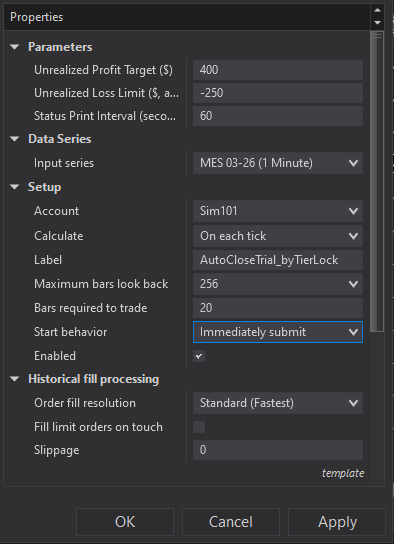
Once thresholds are triggered, positions are flattened using auto-flatten logic and trading halts automatically for the remainder of the session.
Live Demonstrations of Daily Loss Enforcement
Below are real demonstrations of automated daily loss limit enforcement inside NinjaTrader 8 using AutoClose Pro Guardian (ACPG). These examples show how account-level shutdown rules prevent catastrophic drawdown days.
Demo 1: How to Enforce Daily Loss Limits in NinjaTrader
Demo 2: Real-Time PnL Monitoring
Demo 3: Automatic Session Shutdown
Who This Is For
- NinjaTrader 8 futures traders
- Prop firm evaluation traders navigating prop firm daily loss rules
- Traders rebuilding futures trading discipline
- Professionals automating capital preservation
Choose Your Level of Daily Loss Enforcement
TierLock provides two levels of automated daily loss limit and risk enforcement inside NinjaTrader 8.
AutoClose Pro (ACP)
Enforces structured Max Daily Loss thresholds and profit targets. Ideal for traders who want fixed risk ceilings without adaptive logic.
Learn About ACPAutoClose Pro Guardian (ACPG)
Advanced adaptive supervision with account-level risk management, multi-stage session shutdown, and behavioral lock mode. Designed to eliminate catastrophic drawdown days.
Explore ACPGContinue Learning
- Account-Level Risk Management in NinjaTrader 8
- NinjaTrader 8 Daily Loss Limit Guide
- How to Stop Overtrading in NinjaTrader 8
- How to Lock Profits Automatically in NinjaTrader 8
- Manual vs Automated Risk Enforcement
- TradingView + NinjaTrader Workflow
- AutoClose Pro (ACP)
- AutoClose Pro Guardian (ACPG)
- Knowledge Base
- Glossary
Automate Your Daily Loss Limits
Explore definitions in the Glossary, review the Knowledge Base, or begin enforcing structured risk today.
Activate Free Trial